1. Context
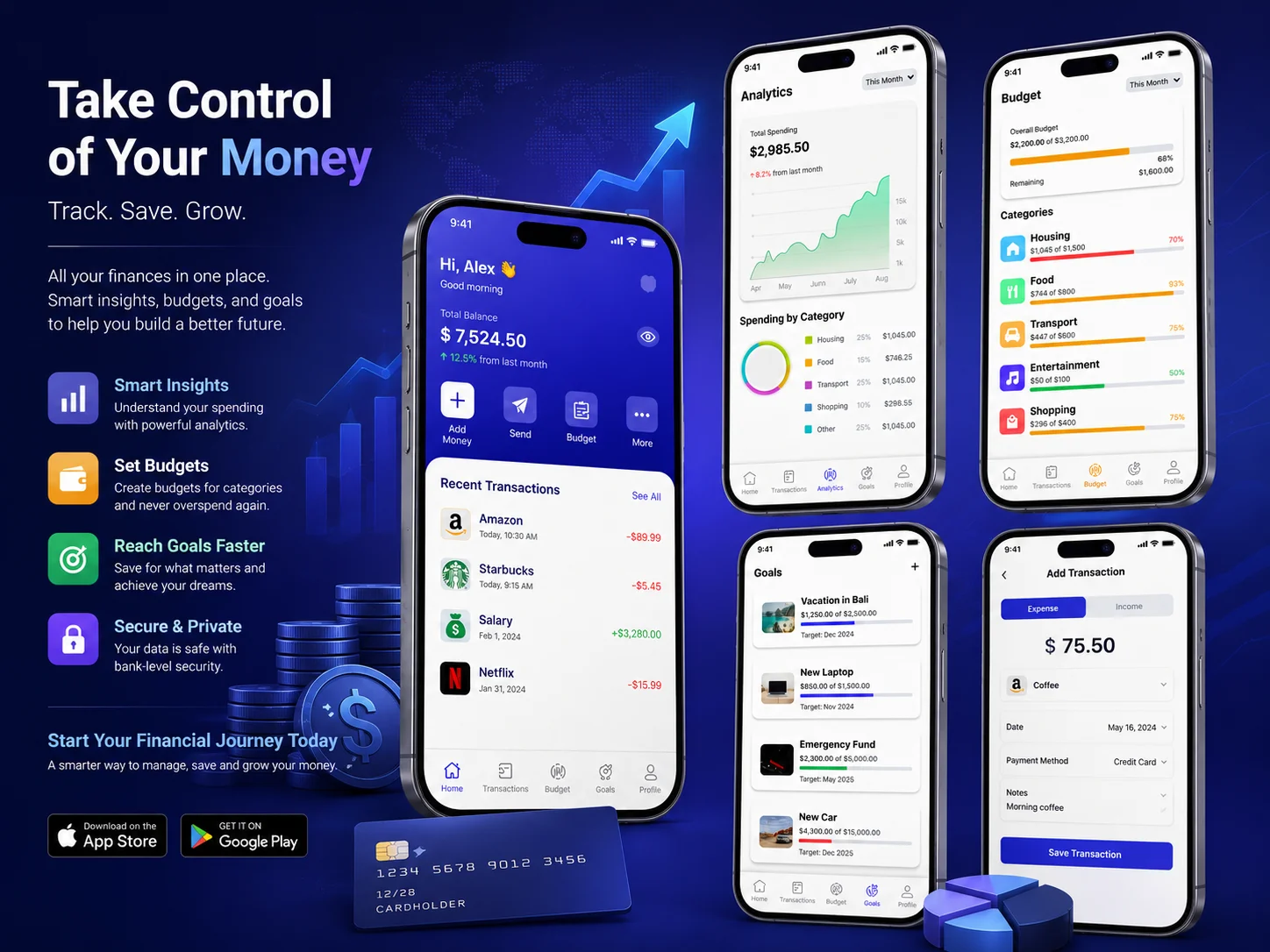
I designed a personal Finance Tracker mobile app: "Take Control of Your Money. Track. Save. Grow." The vision was to create a clean, colorful, and data driven platform that helps users manage their balance, track transactions, analyze spending, set budgets, and reach financial goals all in one place. The app focuses on making money management simple and stress free for everyday users.
2. Problem Statement
According to the client, most people don't track their money because existing finance apps are either too complex, too boring, or scattered across multiple tools. Users need one simple app where they can see their full financial picture balance, spending, budgets, and goals at a glance without feeling overwhelmed.
3. Project Overview
Designer
Zeeshan Ahmed
Role
UI / UX Designer
Duration
1 Week
Tools
- Figma
- Claude
- Maze
4. Project Goal
To build a clean, multi-screen personal finance app that allows users to monitor their total balance, view recent transactions, understand spending through analytics, manage category budgets, and track savings goals in a visually clear and motivating experience.
5. Research Part
Persona: Alex
Age: 22–35
Tech Level: Medium (regular users of banking apps, Google Pay, Excel sheets)
Pain Points: Checks bank app for balance, uses notes for budgets, has no clear view of where money goes each month.
Values: Clarity, control, financial confidence.
Analysis (Competitive Analysis)
I compared Mint, YNAB, and standard banking apps. Mint is powerful but overwhelming. YNAB requires too much manual setup. Banking apps show transactions but no budgeting or goal features. This showed a clear gap for a lightweight, visually clean all in one personal finance tracker.
Target Audience
Age: 20–40
Demographics: working professionals, students, freelancers anyone who wants to manage money without complexity.
Target Audience Pain Points
- No single view of balance, spending, and savings together
- Existing apps feel like spreadsheets not motivating to use daily
- Cannot track budgets per category (Housing, Food, Transport)
- No goal-based savings tracking with visual progress
Use Case Analysis
Created scenarios in Maze: checking total balance, viewing recent transactions, reading analytics, setting a category budget, and adding a savings goal.
6. Brainstorming & Ideation
Your Approach
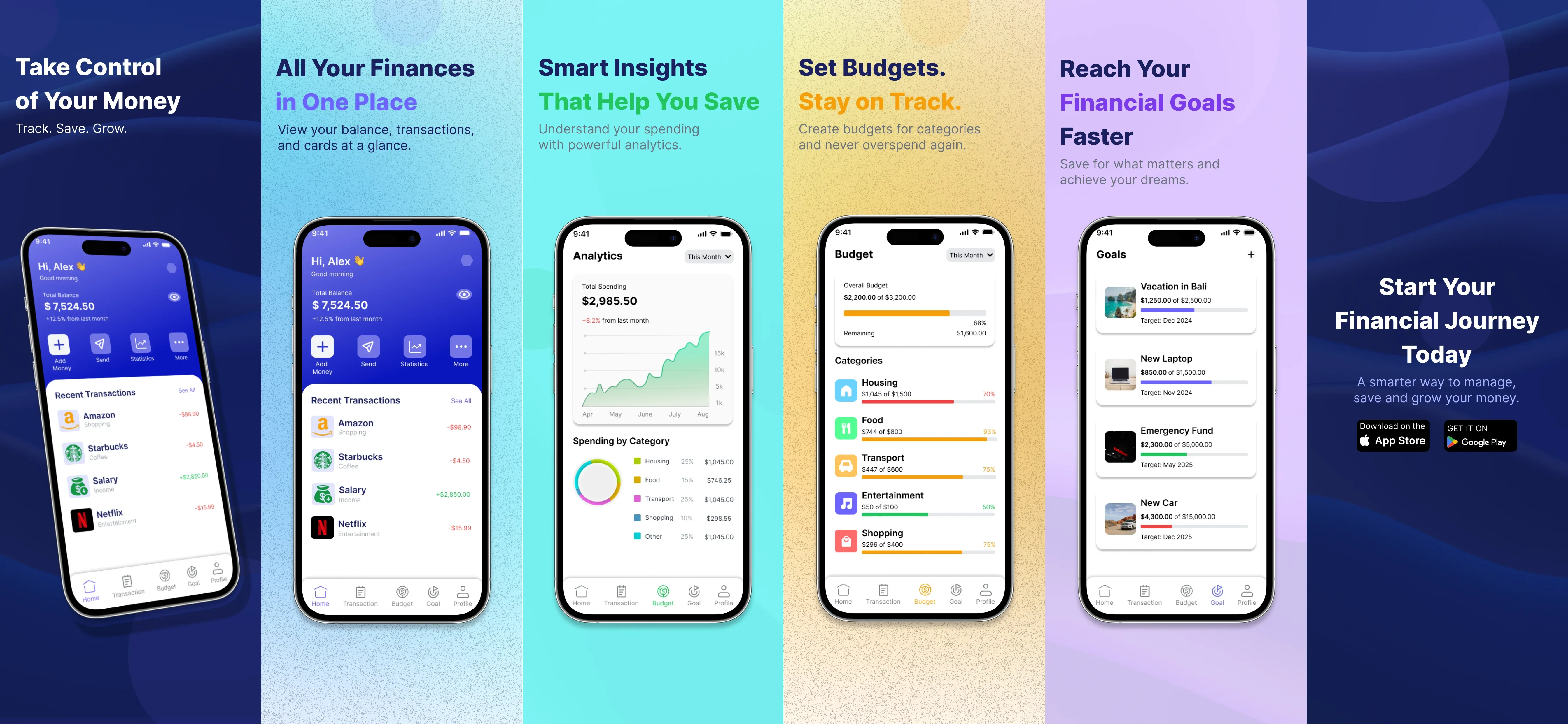
After client research, I found users need 5 clear screens: Home Dashboard, Transactions, Analytics, Budget, and Goals. Each screen needed to answer one question simply "Where am I financially right now?"
Possible Solutions
Build a color coded multi section app where each area (home, analytics, budget, goals) has its own visual identity using background colors and clear data cards. Keep interactions minimal users should understand their finances in under 10 seconds per screen.
7. Final Designs (Mockups)
8. Design System / Style Guide
Typography
Inter - bold for balance numbers, medium for labels, regular for transaction details.
Colors
Each section has its own mood color. White cards on colored backgrounds for clean data display.
- Deep navy blue (home/primary)
- Cyan/teal (analytics)
- Warm gold (budget)
- Soft purple (goals)
9. Conclusion
The main challenge was designing 5 data-heavy financial screens that still feel light, friendly, and not like a spreadsheet. The outcome was a color coded section system where each screen has its own background mood, making navigation feel natural and each section feel distinct. I learned how to present complex financial data in a way that feels approachable and motivating rather than stressful.
10. Scope of Improvements
Bank Account Integration
Connect real bank accounts via open banking API so transactions sync automatically without manual entry.
Smart Budget Alerts
Notify users when they reach 80% of any category budget before they overspend.