1. Context
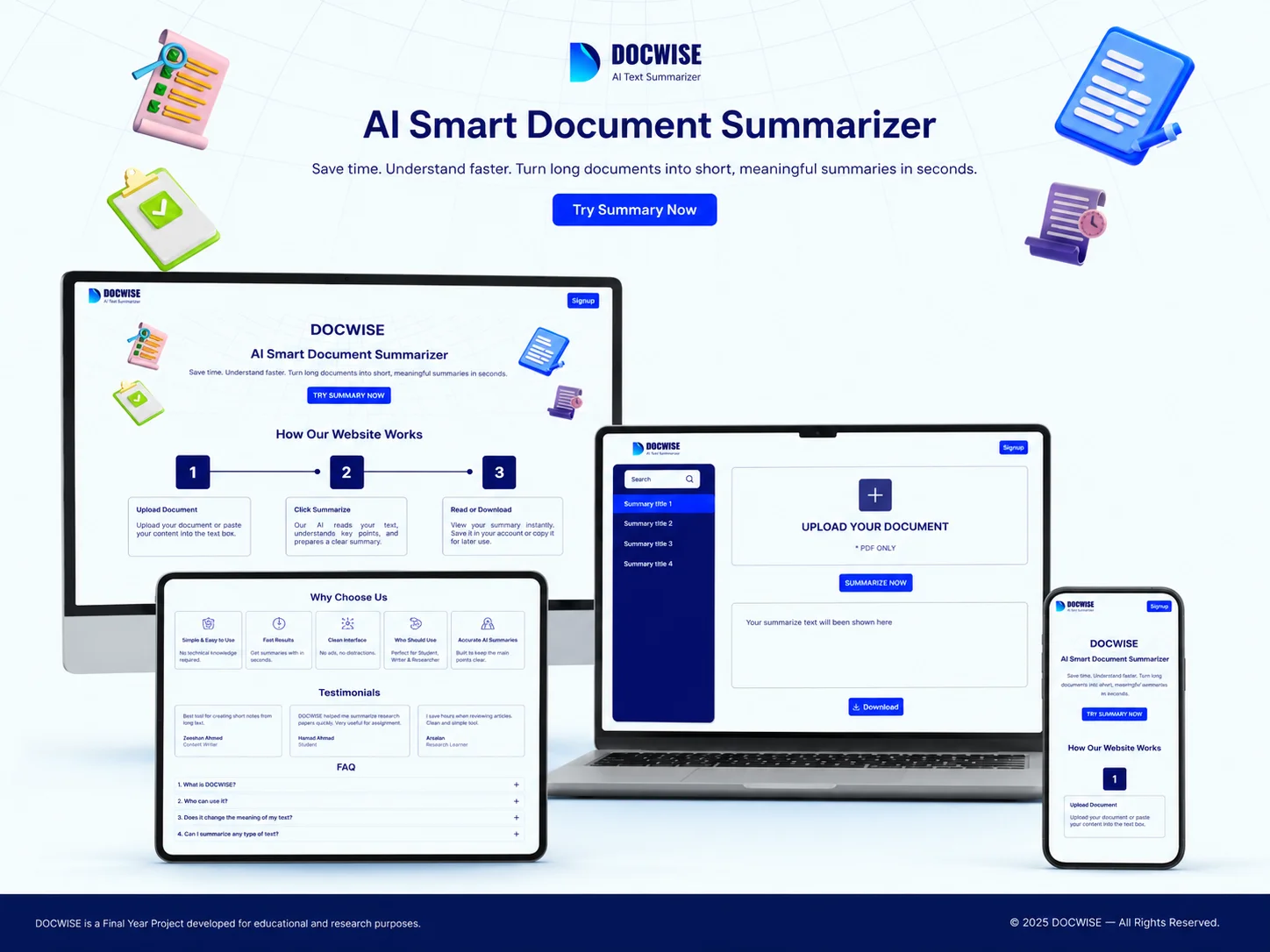
I designed DOCWISE, an AI powered document summarizer. The vision was to create a simple, clean platform that helps students, writers, and researchers save time by turning long documents into short, meaningful summaries in seconds.
Note: This is a university FYP project where I complete my this project with 2 class mate and contribution is from ideas to frontend code and I also lead the group.
2. Problem Statement
According to the client, reading and understanding long documents is time consuming. There is currently no simple tool where users can upload a PDF and instantly get a clean, accurate summary without distractions or technical complexity.
3. Project Overview
Designer
Zeeshan Ahmed
Role
UI / UX Designer
Duration
8 Weeks
Tools
- Figma
- ChatGPT
- Maze
4. Project Goal
To build a simple, distraction free AI summarizer that allows users to upload any PDF and get a clear summary instantly — without any technical knowledge required.
5. Research Part
Persona: Student / Content Writer
Age: 18–30
Tech Level: Medium (regular users of Google Docs, ChatGPT, Word)
Pain Points: Wastes hours reading full documents. Needs quick understanding for assignments or work.
Values: Speed, simplicity, accuracy.
Analysis (Competitive Analysis)
I compared existing tools like ChatPDF and Adobe AI Summary. Most require login, subscriptions, or have noisy interfaces. This showed a gap for a free, clean, and instant summarizer with no friction.
Target Audience
Age: 16–35
Demographics: students, writers, researchers
Tech Level: medium
Target Audience Pain Points
- Wastes too much time reading full documents
- Existing tools require signup or payment
- Complex interfaces feel overwhelming
- Needs clean output that is easy to copy or download
Use Case Analysis
Created scenarios in Maze: uploading a document, reading the summary, downloading result, and navigating saved summaries.
6. Brainstorming & Ideation
Your Approach
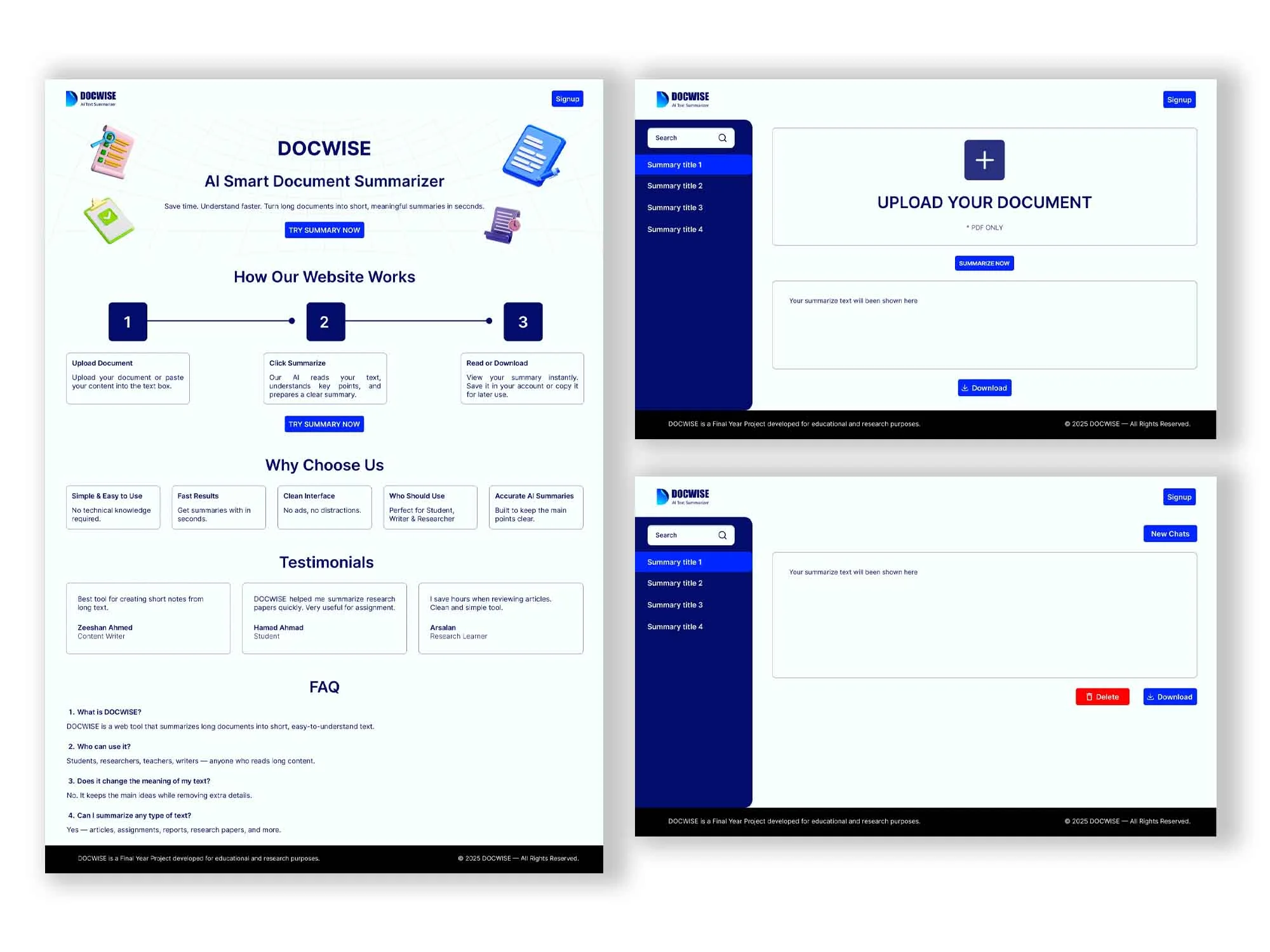
After client research, I found that most summarizer tools either have poor UI or require too many steps. I focused on a 3 step process: Upload → Summarize → Download.
Possible Solutions
Combine the simplicity of a notes app with the power of AI, remove all unnecessary steps, and deliver results on a single clean screen.
7. Final Designs (Mockups)
8. Design System / Style Guide
Typography
- Inter bold 40px headings
- Inter regular 16px body
Colors
- Dark navy blue (primary)
- White (background)
- Blue CTA buttons matching DOCWISE branding shown in the design
9. Conclusion
The main challenge was designing an AI tool that feels trustworthy and simple for non technical users. The outcome was a clean 3 step flow with a familiar layout. I learned how to design for clarity — where less UI means more trust.
10. Scope of Improvements
Multi-format Support
Currently PDF only. Future version should support Word, TXT, and PPT files.